
Beautiful Email, Thoughtfully Crafted for Everyday People
Email's gotten out of hand. Your inbox should make you feel good. Fellow travelers missing Newton will be pleased.


Meet Emma
Emma is an opinionated, minimalist email client made by one person who loved and misses Newton, which went out of business in July of 2024. Newton got a lot right. It was plain and pretty. Now that it's gone, I have the opportunity to steer the spirit of what Newton left behind in the direction I want.
I want one inbox and I prefer it empty. Emma helps me get there every day and I'd like to share it with you.
Emma is a work in progress. Right now, it only runs on iOS devices and it only supports Gmail. It'll technically run on your silicon Mac, but I can't honestly endorse that experience. It's bad.
If you've got time to continue reading about Emma, I'll advertise features that may not be complete or even started yet. They're indicated with and tags below their feature descriptions. If you're interested in trying Emma only after one of those features are completed, you can check back in with the roadmap at your discretion, or join the Discord where I post updates as I finish things.
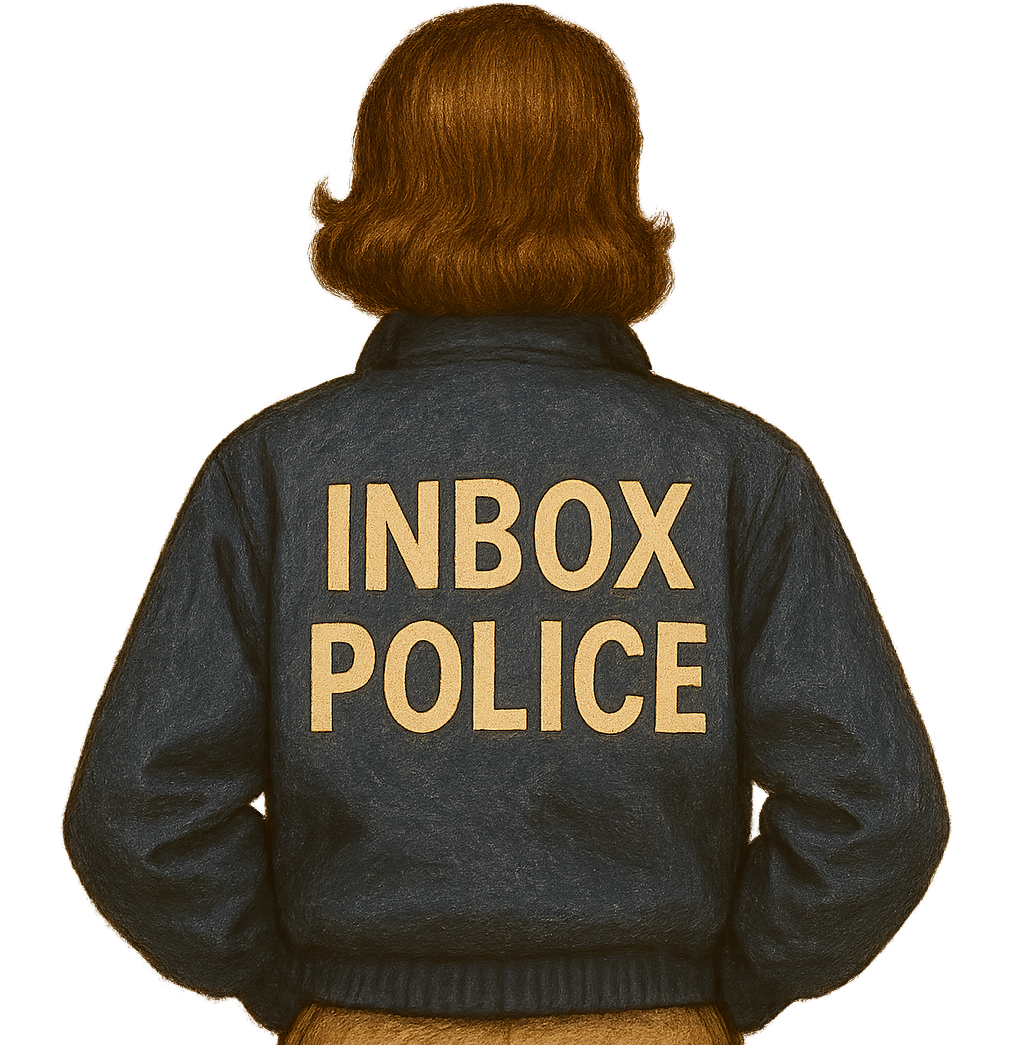
One-Tap Unsubscribe
Let's say you just received an email, the likes of which you never want polluting your inbox again. Maybe there's an unsubscribe link at the bottom. Scroll scroll scroll. Found it! Your email client fades into the background, a browser opens and a page loads. It's a sign in screen. Got your credentials? Nice! Another page loads. A list of checkboxes appear. You need to update your notification preferences. Was that a marketing email or a company update you just received? Whatever. Uncheck everything. Oh, there's a Save Preferences button at the bottom. Good thing you didn't miss that!
Please allow 48 hours for your changes to be applied.
You've gotta be kidding.
When's the last time you entered credit card information only to have a vendor respond "We'll charge you soon, and probably." This stuff is automated. Unsubscribing should be as instant as seeing the number in your bank account decrease. No wonder people go to bed with four-digit red badges on their email app. They've given up.
Take back control of your inbox with Emma by tapping the in-app unsubscribe button that's always in the same place, above every email you read. One tap. Done.
No scrolling. No leaving your email app. No signing in. No notification preference adjustments. No "48 hour" nonsense.

Read Receipts
You know those "read" badges that appear below iMessages you've sent to other people? The recipient has to have them turned on for you to receive them. With Emma, you can turn them on for the recipients of emails you send.
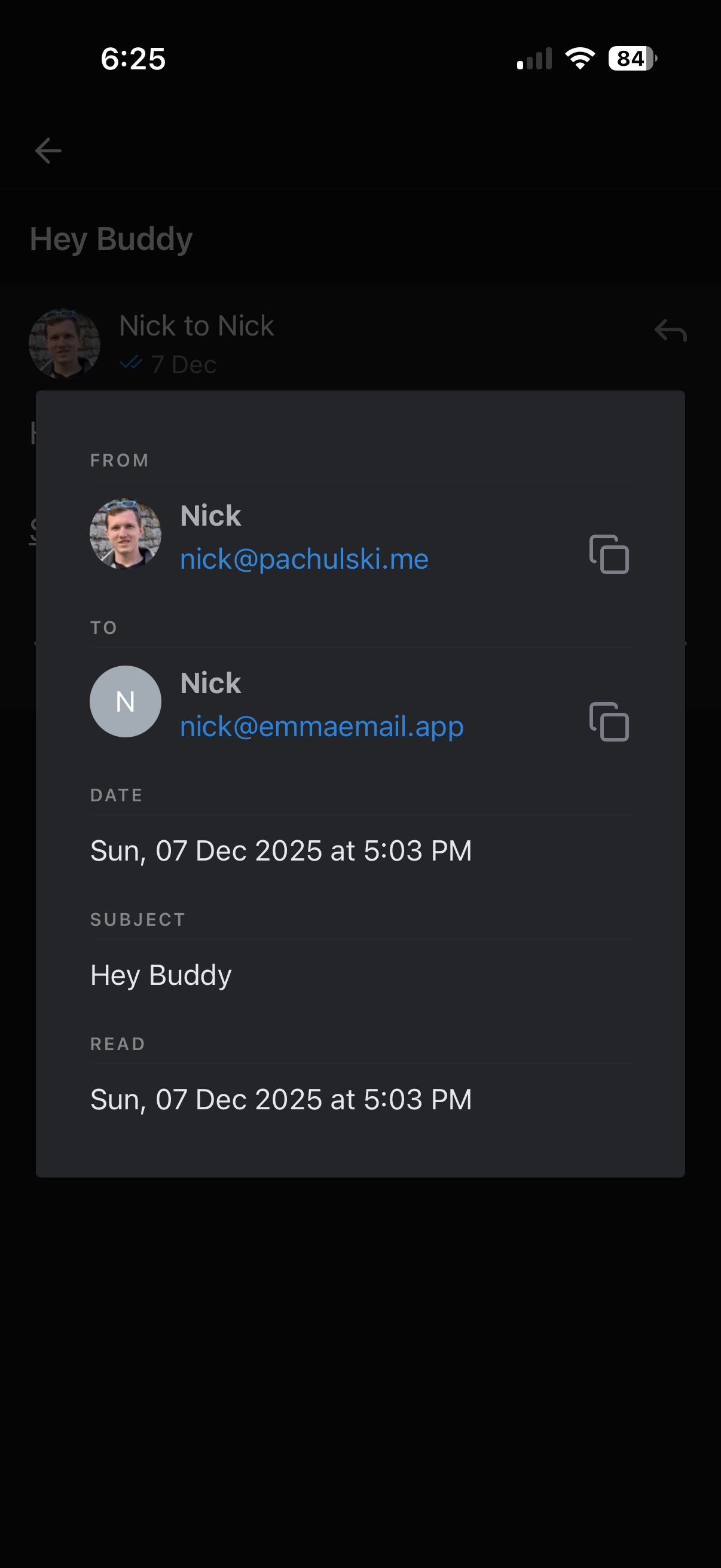
Emma won't just tell you whether or not they've read your emails, but also when they read your emails. It's useful knowing when recipients aren't receiving your emails so that you can reach out through some other medium.
Email to Text 2FA Codes
Signing into an app with two-factor authentication (2FA) is a great security measure, but it can be a chore for users. It's nice when codes are sent via text message because iPhones and Macs will show an option to auto populate fields with the received code.
When 2FA codes are sent in an email, it's more of a hassle. Was the code included in the notification preview? Can you memorize it before the notification runs away? Maybe not. Gotta open the email client and copy it, then go back to the browser and paste it in.
Another inconvenience Emma'd like to save you from.
Emma extracts 2FA codes from emails you've received and forwards them to you in a short text message so that you can tap (or click) that helpful "autofill from text message" popup that appears below the field.

Set Aside
My original intent was to have a single inbox for all accounts. No tags. No folders. No over-the-top, jira-style, over-engineered groups of sub groups for emails. Just an inbox. That's all.
The idea was that anything in my inbox is a todo item and anything archived was searchable. Which is half true. The problem is that not everything in my inbox is a todo item (though most are). Some things I know I'll need later and require no action now. I'm talking about things like restaurant reservations and plane tickets - or a newsletter I don't have time to read now, but don't want cluttering up what's otherwise the most up-to-date list of all the things the world needs from me.
For all those things, Emma has a "Set Aside" action that moves things out of your inbox and into a convenient place for easy access later. Once you're done with something that's been set aside, you can swipe it just like you'd archive in your inbox to remove it from your set aside pile.

No AI
Write your own damn emails.

Less
Emma aims to be the email client that you can download and use without prior experience. She has a tiny set of unique features to make life easier in novel ways, but having less than the competition will always be her north star.
Emma focuses on what matters, does those things well and then removes the noise. Her mission is to get you to inbox zero so that you can lay your head down on the pillow at night knowing the world doesn't need anything else from you.
Emma is made by one person using tech that will scale without dramatically increasing costs. It runs code written only as needed that saves only what's necessary.
Less is less.
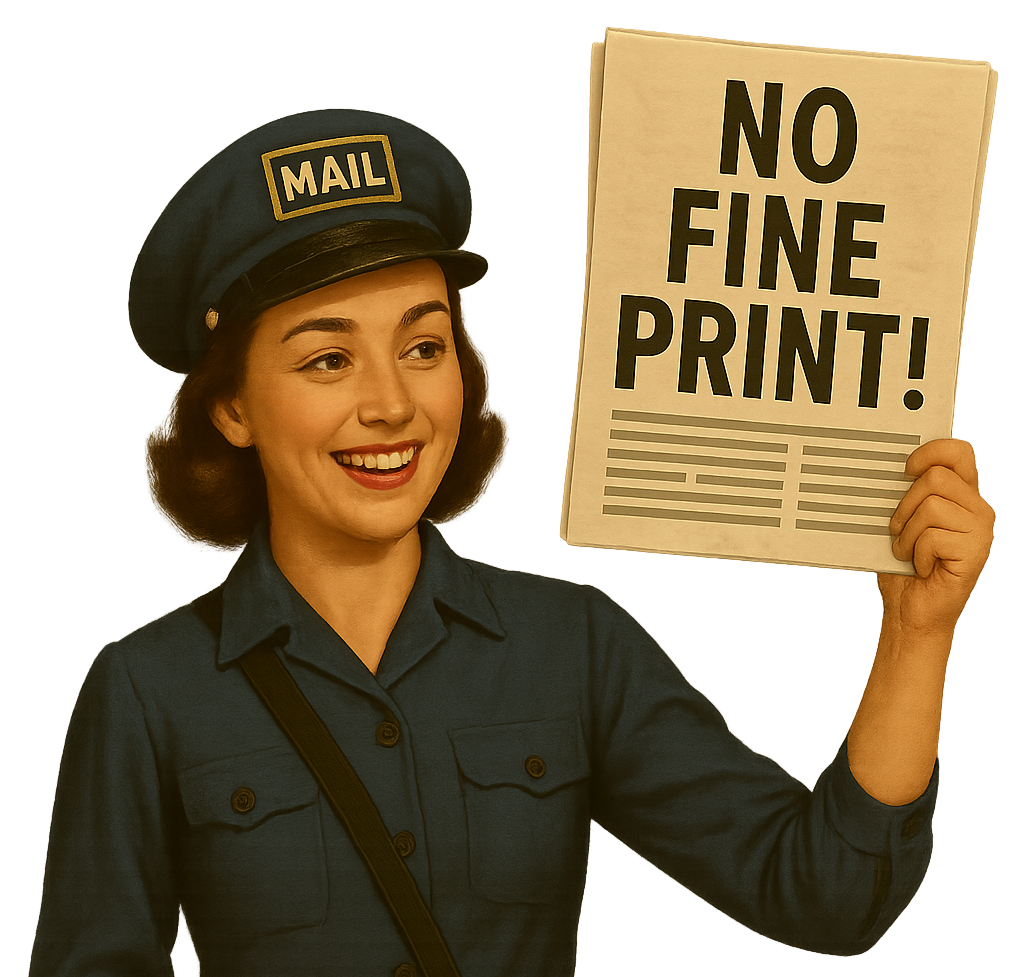
Honesty
Emma hates dark patterns. That's why she doesn't auto charge you at the end of your free trial. You have to okay that first. It's surprising that that's an endorsed in-app-purchase flow in Apple's App Store.
Emma's also up front about who she is. She doesn't charge you $480 per year and then add a bunch of filters to your Gmail account promoting her marketing content and preventing you from marking it as spam, like some other email clients do.
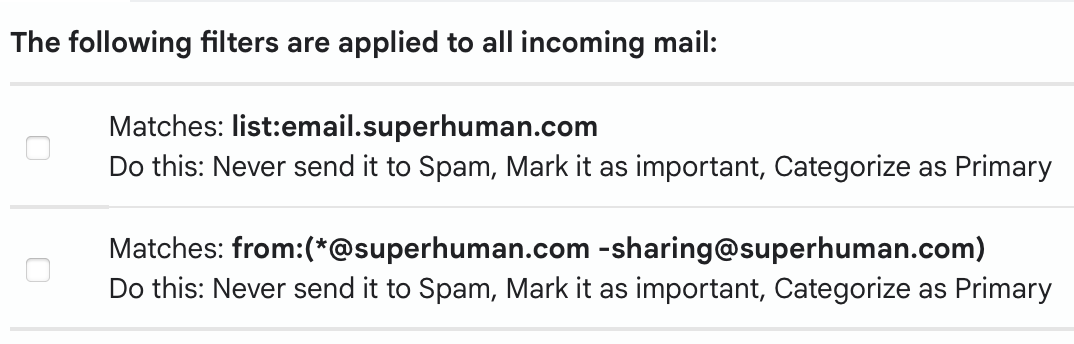
Nope! Emma doesn't send marketing content to begin with. And if you do initiate a conversation with support (uh, me), you can unsubscribe from that thread with a single tap, just like any other email. Oh, and Emma's only 21% of the price of that other email client.
Emma also does what you'd expect her to do in terms of handling your data. Your emails are securely delivered to the device in your hand and never saved to a disk you don't own.

Privacy
Emma takes your privacy seriously. The official privacy policy was written by a non-legal human to be read by non-legal humans. It also happens to appease the lawyers (Apple's and Google's so far, anyway).
You can think of how your emails are handled this way:
There's an open laptop at Google HQ. Your emails are on that laptop's hard drive. There's another open laptop which belongs to Emma in Iowa. When you open Emma on your phone, your phone sends a request to Emma's laptop, Emma forwards that request to Google's laptop and Google responds to Emma's laptop which responds to the Emma app on your iPhone.
It has to happen that way. The only secure way of ensuring that your emails are going to the entity which you granted access to when you signed in with Google and accepted the listed permissions, is to send them to a server (Emma's laptop), which is verified as belonging to Emma. Google can't send the emails directly to your phone. I'd prefer it that way. It'd be less work for me. Google requires third party Gmail apps work this way.
Every third party Gmail application you've used does this.
Now that we've got that admission out of the way, let's get to the bit that sets Emma apart from other third party Gmail clients: She doesn't keep your emails. She just forwards them to the device in your hand in the quickest, most secure way possible and forgets about them. Simply put, if you can see a loading spinner in the Emma app, Emma's computer in Iowa has your emails in memory, because it's forwarding them to you. When the loading spinner goes away, that computer doesn't have your emails anymore, at all. Period.
The reason that's interesting is because most other third party Gmail applications don't act in the type of "stateless relay" way that Emma does. Emma was built because the founder (myself) missed an email client named Newton which recently went out of business. Newton had great features, but it also openly stored user's emails on their servers. Spark, a popular client right now, admits in its privacy policy that they keep user's emails on their servers, on disk, albeit encrypted. Edison, another popular client right now not only stores users emails, but historically monetized commercial data extracted from them. Superhuman claims not to store user emails, though their history is laden with security scandals suggesting otherwise.
Those places are different. They have boards of directors and investors. They're inventing new ways to make money. I'm interested in making the best possible email client for myself and selling the same experience directly to you.
Squirreling away your emails is actually non-trivial work, too. It takes time to write the code to save your emails and it costs money to pay for the space to store them. Win. Win.
Inbox Zero
It helps me sleep knowing the world doesn't need anything else from me. When I go to bed, my virtual and physical mailboxes should be empty. Also, the laundry should be folded and the dishwasher should be unloaded. I can't help you with those last bits, but Emma can help make emptying your virtual mailbox more manageable. She also has plans to make your virtual mailbox an extension of your physical one.
Emma helps you hit inbox zero by removing unnecessary noise and providing ways to stop the flood of unwanted emails.
Emma's serious about getting you to inbox zero. That's why she never invades your inbox without your permission. Did you sign up to use Emma? Let me be the first to say "thank you!" right here, without polluting your inbox. Apple will send the receipt.
You can get in touch with me, follow along here for general updates or get more involved by joining the community Discord . I encourage you to do any or all of those things, if they interest you. Hearing from you is the best part of my day! But Emma will never assume that you enjoy hearing from me. She assumes you're interested in being left the hell alone while you work towards inbox zero. She'll try to help where she can and never actively work against that goal.
Profit
There's a reason that Inbox Zero is listed first in Emma's Goals section. I'm building Emma because I want something that doesn't exist yet and I know how to make it. I'd also love to share Emma and not lose money doing it.
Emma has no investors, no ads and a "free" tier that I sponsor (free - for you). I have spent thousands of personal dollars on infrastructure, logging solutions, database backups, monitoring tools, bug tracking software, Gmail API access, iOS developer licenses, continuous build tooling, an LLC and more. I've also invested hundreds of (if not, a thousand) hours prototyping, designing, building, deploying, testing, monitoring, and marketing Emma. I started working on Emma in August of 2024 and put it in the iOS App Store in July of 2025.
The good news is that costs shouldn't increase for a long time, even as more people use it. If about 50 people sign up for Emma Email Pro, they'll roughly cover the cost of running Emma (excluding development time).
Any income after that would go towards paying me back for the time I've already spent working on Emma or (super romantically) nudging me towards working on it full time. ❤️
Features
- One-Tap Unsubscribe >
- Default Email Client
- Set Aside
- Read Receipts
- Paywall (in progress)
- Public Promotion (Hacker News, Product Hunt, old Newton mailing lists, etc)
-
Composition Improvements
- Rich Text (bold, italic, etc)
- Send Attachments
- Autocomplete Recipient Email Addresses
- Auto-Set Sender Account to Searched Sender Account
- Forwarding/Replying Banners with Popover Previews
-
Improve Attachment Integration
- Add .ics Attachments to Calendar
- Preview .ppt attachments
- Preview .doc attachments
- Preview .xls attachments
- Mac Desktop Client
- Other Email Hosts (iCloud, etc)

Updates
Dec 7, 2025
Read Receipts
Read receipts are live! I just finished working on them and I didn't do a ton of testing, so I bet one of you will break it. I'm getting crash reports, but if you see anything uniquely wrong, please don't hesitate to contact me or pop into the discord and let me know there.
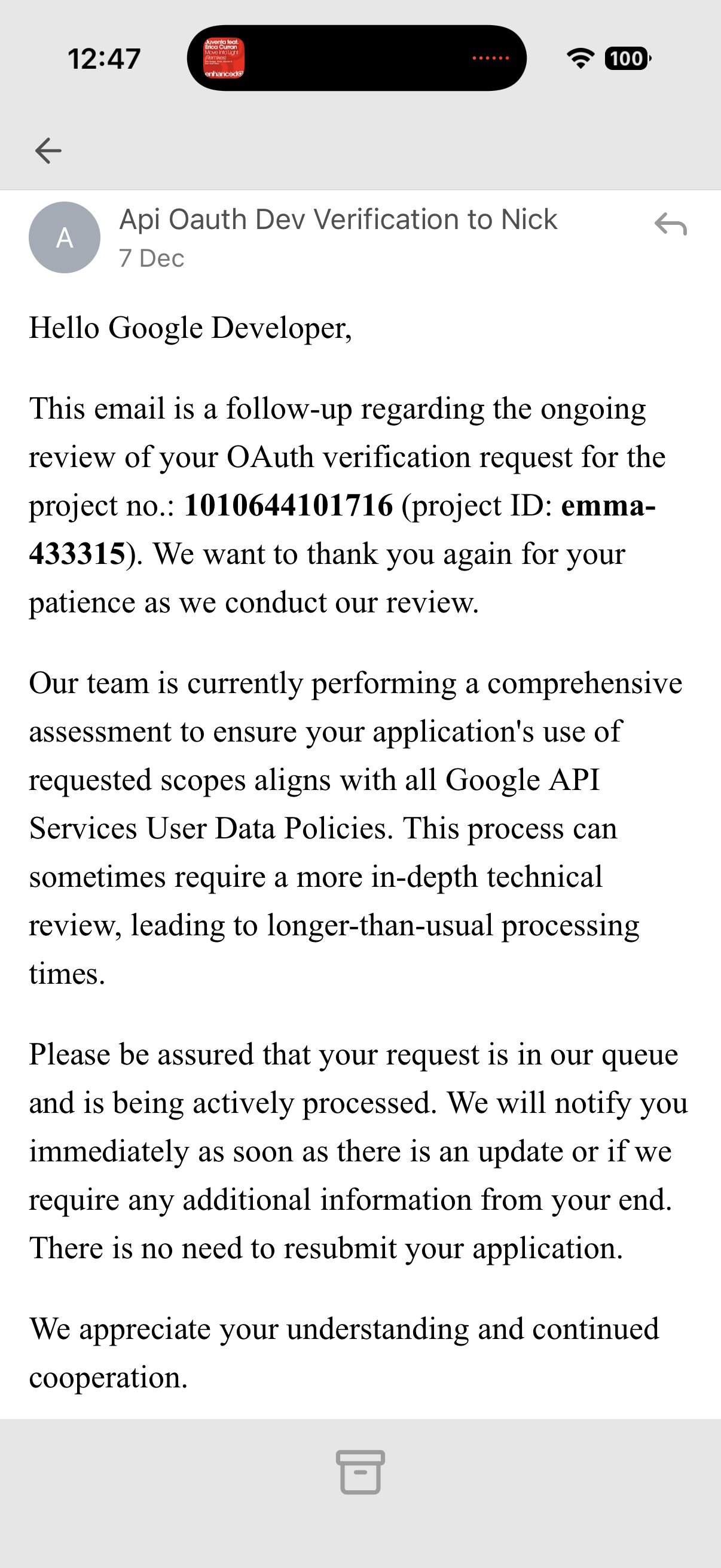
Also, I got another email from Google today letting me know they'll still vetting my request for increased permissions.
Nov 30, 2025
One-Tap Unsubscribe
I have built the One-Tap Unsubscribe feature, but I can't give it to you yet because the Gmail permissions you give me when you sign in with Google don't permit creating and editing Gmail filters, which is how unsubscribes will work. To get those permissions from you, I need Google's permission first.
I asked Google for those increased permissions on November 18th. Every third day since then, they've responded with "sorry to keep you waiting; we're backed up." I wouldn't be so sore about the time it's taking if applying for the new permissions hadn't broken my existing permissions, which has been preventing new signups since November 18th. Until then, I'd been averaging 1-3 new signups per day.
Since then: 0
I'm pretty sure it was technically my fault that happened. I think I did something wrong. The Google Cloud Console (where that's configured) confuses me.
Default Email Client
There's a way, in iOS, to set a specific app as your default email client. Several of you have emailed me personally asking for this feature. I need to manually ask Apple for that permission by filling out a form. I've filled that form out 3 times over the past couple of months and received no responses. I contacted Apple's general developer support, and they're working through why that's taking so long with me.
Read Receipts
When I receive feedback from you guys, I usually already have an opinion and typically stick with it. When the feedback is this overwhelming, though, I adjust priorities. I'd prefer to work on the "Set Aside" feature before implementing read receipts, myself, but you all really want read receipts. I think that means I'm reaching the right crowd. Emma was made to fill the Newton-shaped hole in my heart and Newton users were used to having read receipts. I'd like to keep that crowd happy. Read receipts are in progress and I don't need anything from Apple or Google (as above) to get them done.
Paywall
It's a feature to me! 😅
Soon I will start asking you for money. My plan is to give away a free month of Emma to each new user and then ask for your permission to start charging for pro features. Pro features will be read receipts, set aside, one-tap unsubscribe, email to text 2fa codes, and dark mode. Pricing is hard; right now I'm thinking I'll list two plans: $10 monthly or $100 yearly. If you opt out you can still use Emma; with a single account and without those pro features. If you're just into Emma for her minimalist design: She's free, forever.
Privacy Policy
This policy applies to all information collected through The Emma App.
Information Emma Collects About You
The following list is the entirety of the information we store about you.
- An access token (received from Google)
- A refresh token (received from Google)
- An access token expiration date and time (received from Google)
- Your Gmail address (received from Google)
- The first and last names associated with your Gmail address (received from Google)
- A URL link to your Gmail address avatar (received from Google)
- A history ID (received from Google)
- A push notification token (received from iOS)
- Your phone number (received within The Emma App)
Where Emma Gets This Stuff
We receive all but the last two items above when you consent to allow Google to share your information with The Emma App. You are prompted to grant consent when you sign into The Emma App.
We store your push notification token if and when you opt to receive push notifications for new inbox emails in The Emma App. You are prompted to grant permission to share your push notification token after signing in to The Emma App with a Gmail account.
You can disable our push notification token on your iOS device by going to Settings → Apps → Emma → Notifications and toggling the Allow Notifications switch.
We store your phone number if you volunteer it within the settings section of The Emma App. You can remove our access to your phone number in the settings section of The Emma App.
Why Emma Keeps This Stuff
Your access and refresh tokens enable The Emma App to show you your inbox emails, as well as compose and deliver emails from your Gmail address in The Emma App. Consent to share your Google account information with The Emma App is necessary for The Emma App to function. The access token expiration date and times are also necessary to allow us to provide you with the aforementioned features unless and until you revoke The Emma App’s Gmail permissions. You can remove consent here.
Your Gmail address, first and last names, as well as your avatar are used to indicate to you which Gmail accounts you have linked to The Emma App. Again, you can disable The Emma App’s access on a per-Gmail-account basis by following this link.
Your history ID is used to show you your most up-to-date inbox when you open the app without having to pull to refresh your inbox emails list in The Emma App. You can disable our access to updated history IDs here.
We store your push notification token if and when you opt to receive push notifications for new inbox emails in The Emma App. This is an opt-in feature.
You can disable our push notification token on your iOS device by going to Settings → Apps → Emma → Notifications and toggling the Allow Notifications switch.
Your phone number is used to resend you 2FA (two-factor authentication) codes as text messages when they’re sent to you as an email to make pre-filling them on your iPhone easier. This is an opt-in feature. You can remove our access to your phone number in the settings section of The Emma App.
Revoking Emma’s Access to This Stuff
You can remove consent to share the above-listed Gmail account information with us here.
You can disable our push notification token on your iOS device by going to Settings → Apps → Emma → Notifications and toggling the Allow Notifications switch.
You can remove our access to your phone number in the settings section of The Emma App.
How Emma Protects This Stuff
The above-listed information is kept in a password-protected database at rest and encrypted in transit using the industry-standard TLS protocol.
Anonymized Information Emma Collects
The Emma App sends anonymized (not connected to your personally identifiable information in any way) crash reports to Sentry's servers so that we may fix problems that cause The Emma App to break.
Ephemeral Information Emma Handles
All information discussed until this point refers to information that The Emma App collects and stores on disk. Other information passes through The Emma App’s servers, which we do not persist.
Namely, your emails.
Your emails pass through The Emma App’s servers because it’s Google’s preferred and secure way of allowing third-party applications like The Emma App to access and handle your data. Your emails exist on The Emma App’s servers only in memory and only while you’re fetching them.
Plainly put, when you can see a loading spinner in the app, your emails exist on The Emma App’s servers in memory (not on disk). When the loading spinner goes away, The Emma App has finished forwarding your emails to your device and no longer has them on servers in any way (in memory, on disk, or in any other way).
Retention and Deletion of Google User Data
Google user data is retained only as long as necessary to provide our services. Removing a Gmail account from your Emma Email account will delete the Google user data for that account from our servers. If you delete your Emma Email account, all associated Google user data is permanently deleted from our servers.
In Summary
Every bit of information you trust us with is used for the sole purpose of making The Emma App useful to its users.
We do not send marketing emails, push notifications, or text messages.
We never call you.
We do not sell your information.